
Follow this guide to set up your Company payout method for referral bonuses and affiliate payments.
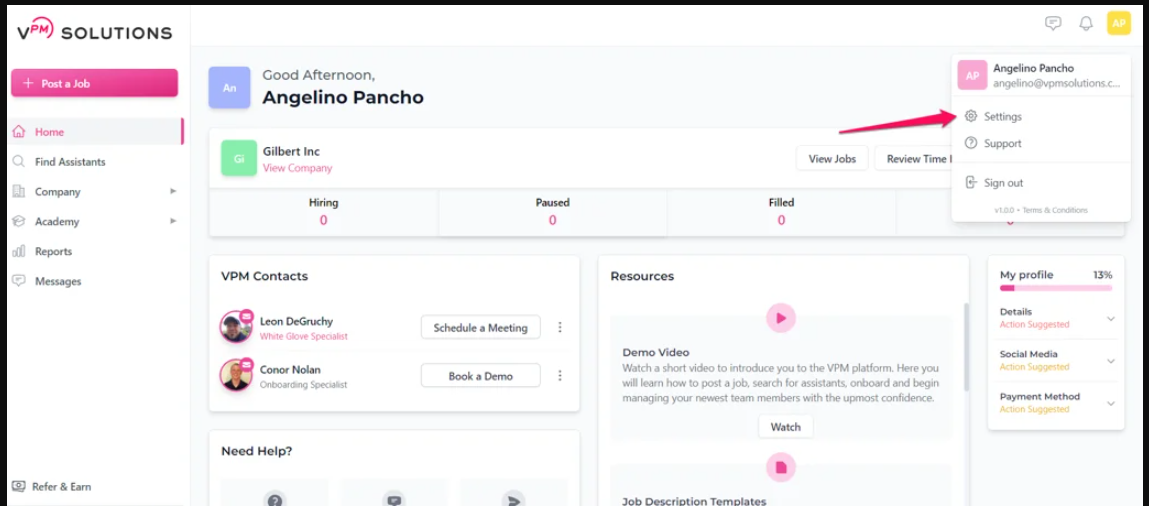
Step 1: Access SettingsClick your profile picture located in the top right corner of the screen and choose "Settings."
Navigate to the "Affiliate Payout" tab within your settings menu.
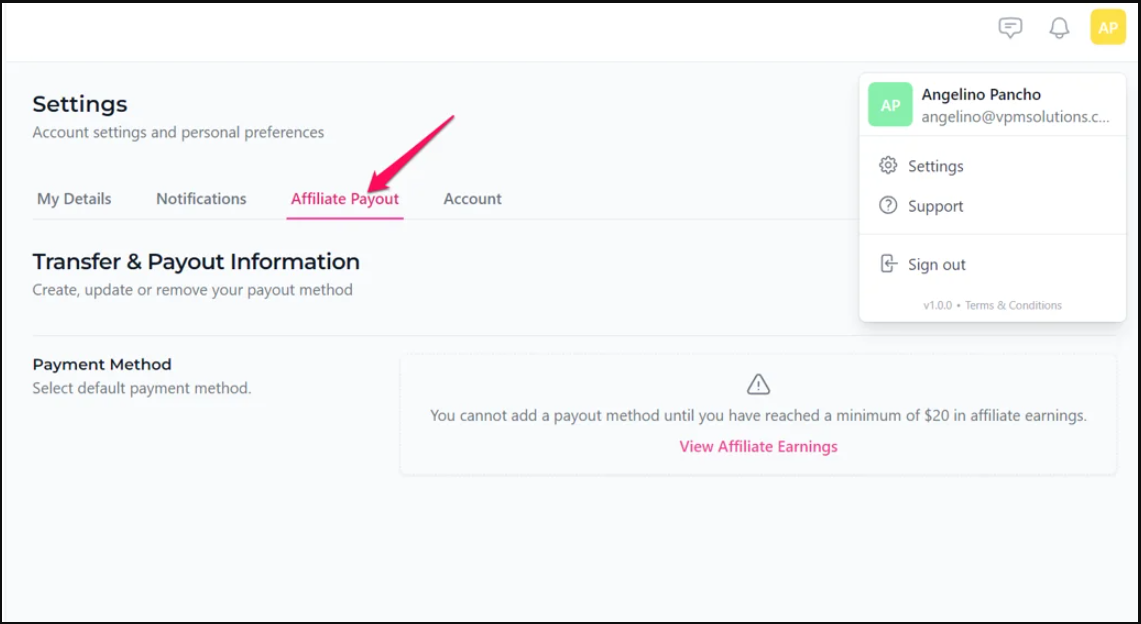
If your "Upcoming" balance is below $30, you will not be able to add a payout method. The system requires a minimum balance of $30 before a payout can be processed or a method attached.
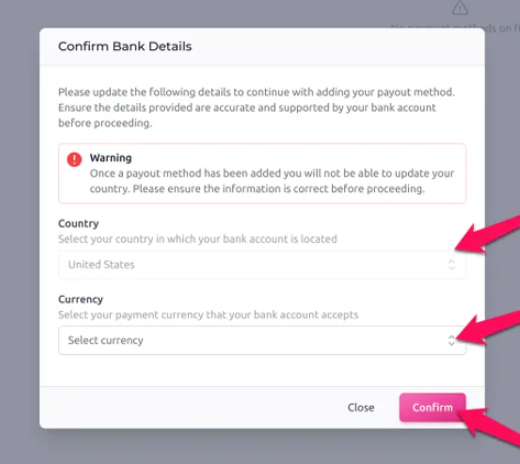
Choose the correct country and currency for your bank account, then click "Confirm." You will be redirected to Stripe to securely enter your banking information.
Review these verified resources for your Company account:
If you have any further questions or need additional assistance please don't hesitate to reach out to our team.
Submit a Ticket