
Modifying a Submitted Time Card
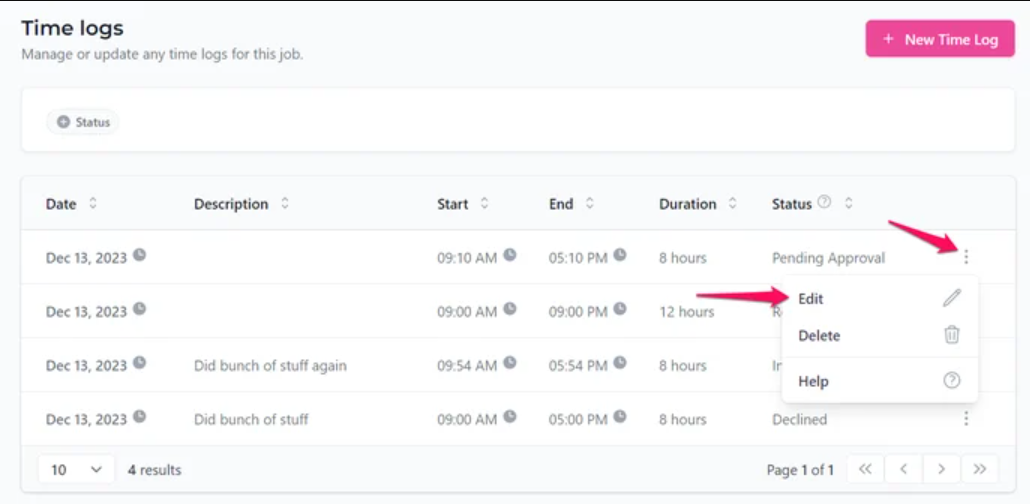
Yes, as a Remote Team Member (RTM), you can edit any time card that is currently in the pending approval status.
How to Edit Your Time Card- Locate the specific time card you wish to modify in your time logs.
- Click on the three dots under the "Actions" column.
- Select the "Edit" option to make your changes.
💡 Note: You cannot edit the time logs after the cutoff.
Review these verified resources to further understand time logs and modifications:
Can I Delete a Time Card? How Do I Know If My Time Was Approved? Payment Timeline and Status What Happens If I Forget to Submit My Time Before the Cutoff Date?
Contact Support
If you have any questions or are in need of assistance, please submit a ticket via our support channel.
Submit a Ticket