
Currently, you cannot schedule a future pay increase on the platform. To increase a Remote Team Member's pay, you must manually update the pay rate in their Job Summary when you are ready for the change to take effect.
How Pay Increases Work- Immediate Effect: Changes take effect immediately after saving.
- Application: The new rate will apply to any new time logs entered by the Remote Team Member after the update has been made.
🚨 Important Note: Timelogs entered before the pay rate change will remain unaffected and will be processed at the previous rate. Ensure you communicate the timing of the pay increase clearly with your Remote Team Member.
Updating the Pay Rate
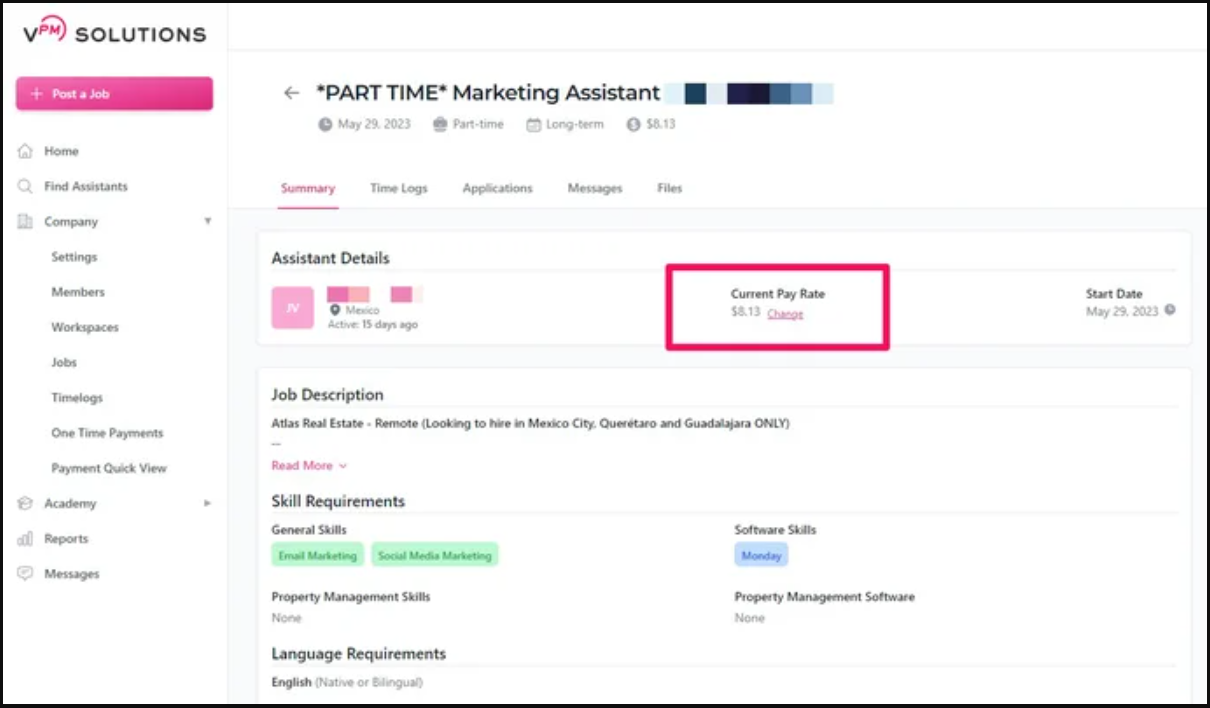
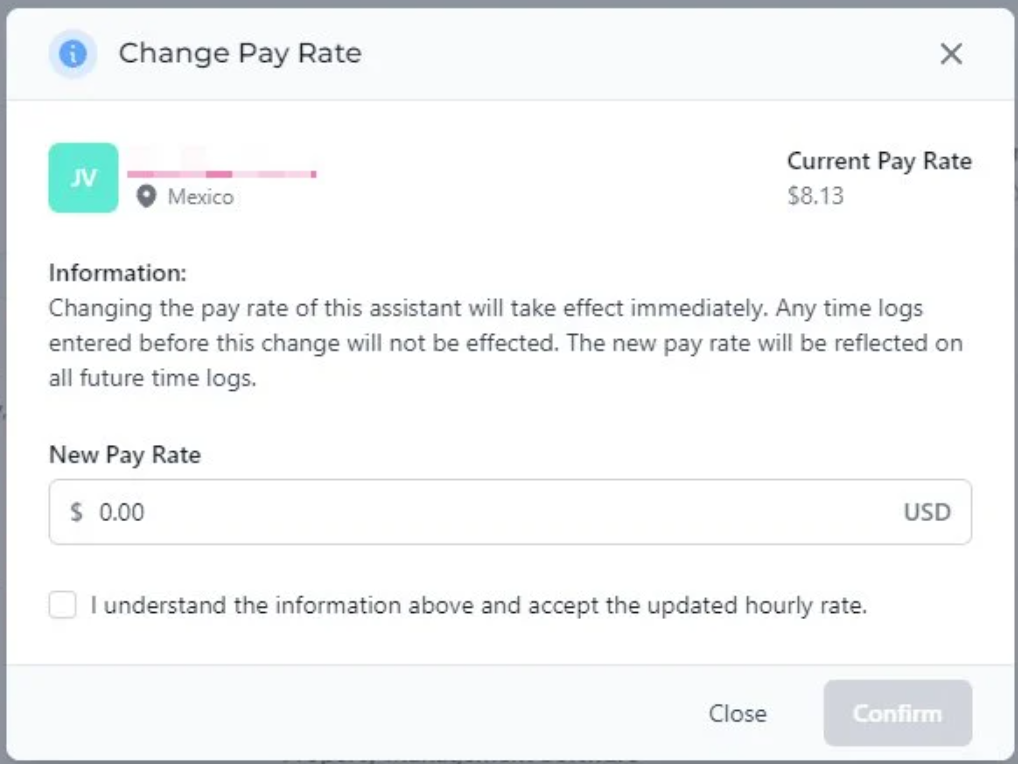
Navigate to the Job Summary of the specific contract to manually adjust the hourly rate field, as shown below:
Related Resources
Review these verified resources to effectively manage your team on the platform:
Contact Support
If you have any questions or are in need of assistance, please submit a ticket via our support channel.
Submit a Ticket