
At VPM Solutions, we are committed to providing transparency regarding how payments are processed, tracked, and received. This guide explains how payments move from initiation to completion for every Remote Team Member (RTM) and Company.
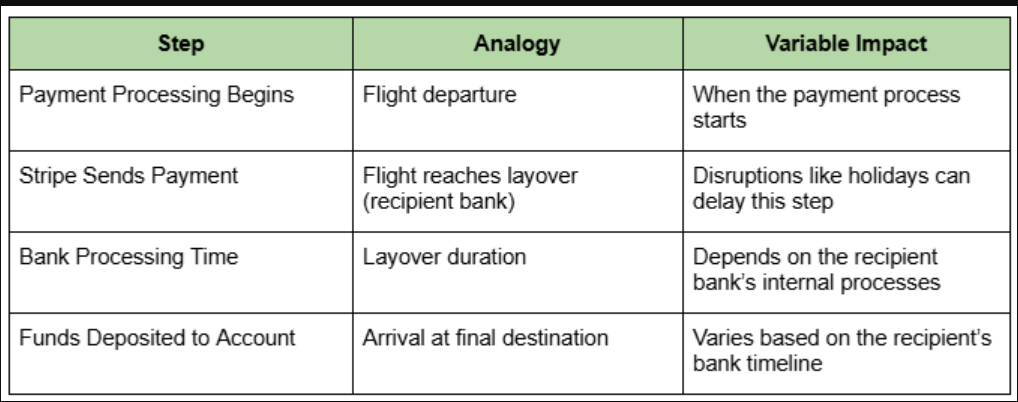
To make this process easier to visualize, we use a relatable analogy—taking a flight with a layover. The payment follows a predictable timeline, but variables can impact when it is fully completed.
 How the Process Works (VPM, Stripe, and Banks)
- Step 1: Payment Processing Starts (VPM)
The process begins with VPM Solutions. Once payment is triggered, it's sent to Stripe, our payment processor. Timing depends on when the request is submitted. - Step 2: Payment Sent to Your Bank (Stripe)
Stripe processes the payment and sends it to the RTM's bank. This is typically seamless but may be delayed by factors like weekends or holidays. - Step 3: Your Bank Processes the Payment
Once Stripe sends the funds to your bank, they control the timeline. Processing times vary based on their internal systems and are beyond our control. - Step 4: Funds Arrive in Your Account
Finally, the bank deposits the funds into your account. This step depends entirely on how quickly your bank finalizes the transfer.
Company payments are charged on Tuesday around 2 AM UTC. The Estimated Time of Arrival (ETA) will be available within 24 to 48 hours and displayed on your home dashboard and the payment quick view section.
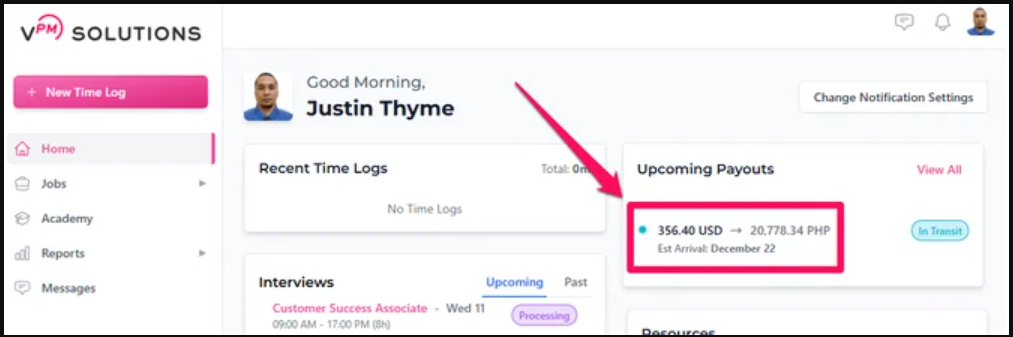
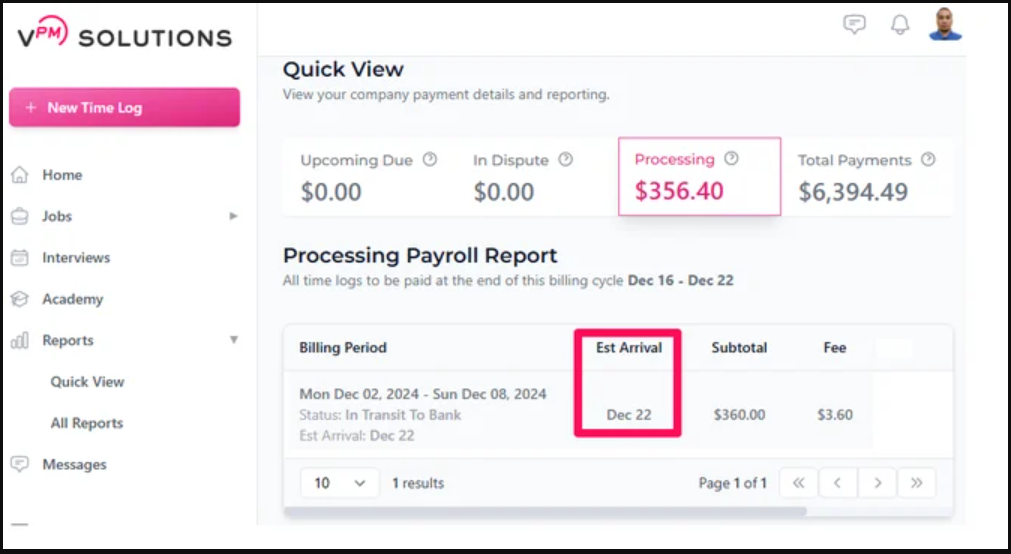
The ETA is determined by Stripe's timeline, which typically ranges from 4 to 10 business days after the payout is initiated. This is an estimate, not a guaranteed exact date.
Payment Statuses & Delays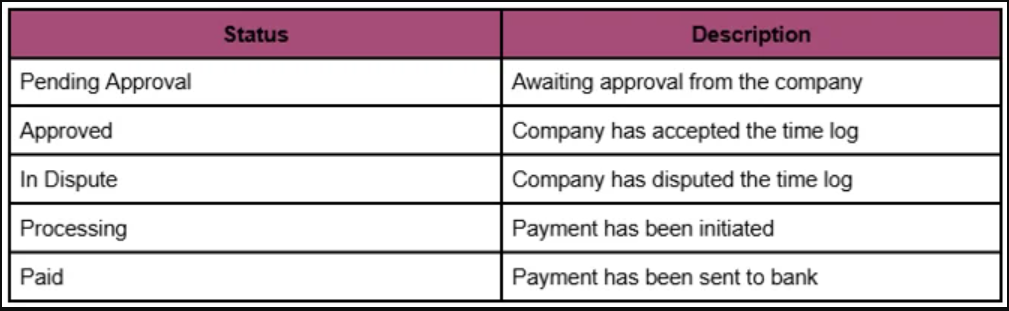
If you receive your payment on the exact ETA date, this is within the expected timeframe. However, if it doesn't arrive immediately, you should not assume it is delayed. A payment is only considered delayed if it exceeds Stripe's specified threshold of 4 to 10 business days.
If the payment status shows as 'Paid' and you have not received the funds, it means Stripe has successfully sent the payment to your bank. At this point, neither Stripe nor VPM Solutions has control over the funds. You must reach out directly to your bank to inquire about the clearing status.
Bank holidays affect the payment process because banks are closed and unable to process transactions. A holiday during the payment timeline will naturally introduce a delay, typically adding at least one extra business day before funds proceed.
We highly recommend checking for upcoming holidays in your local region or internationally, as this can provide a clearer picture of when to expect your funds.
Use these verified active links for further assistance regarding your payment journey:
Payment Onboarding Video How Often Will I Get Paid? UCT Time Payments Questions Legal Holidays That May Delay Payments Understanding VPM Payment Statuses Stripe Escalation Process for Delayed TransactionsIf you have any questions or are in need of assistance, please submit a ticket via our support channel.
Submit a Ticket