
Editing or Deleting a Time Card
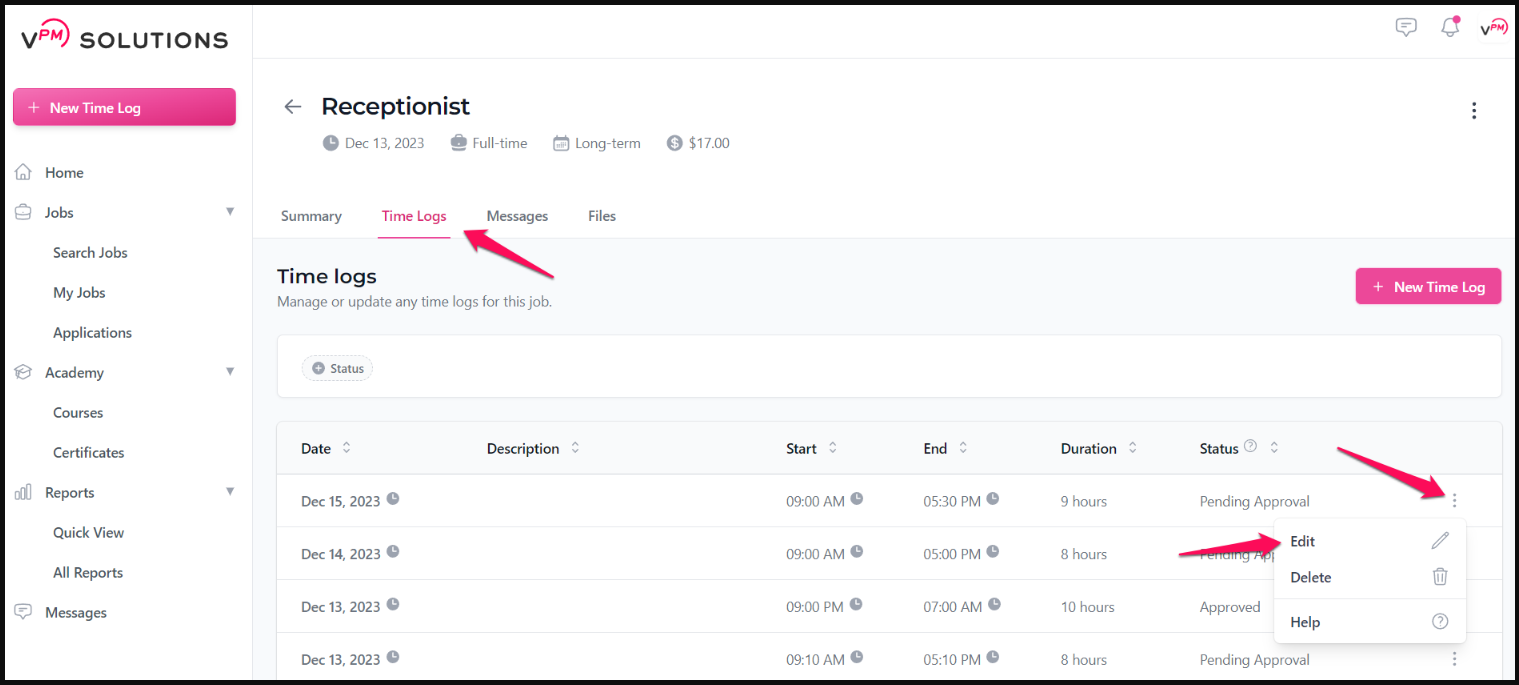
As a Remote Team Member, if you entered an incorrect time card, you can easily modify or remove it. To do so, follow these steps:
- Proceed to the Time Log section within your job summary in the workspace.
- Locate the three dots corresponding to the specific time card.
- Choose the "Edit" or "Delete" option.
💡 Note on Deleting Time Logs: When you delete a time log, it is not actually removed from the list entirely. Instead, it will be labeled as "Removed by Assistant".
Review these verified resources to further understand time logs and modifications:
Can I Modify a Time Card That Has Already Been Submitted? How to Delete a Time Log What Happens If I Forget to Submit My Time Before the Cutoff Date? How Do I Know If My Time Was Approved?
Contact Support
If you have any questions or are in need of assistance, please submit a ticket via our support channel.
Submit a Ticket